🍪 ColorMango uses your cookies to give you the best experience on our website. Learn more on our Privacy Policy
No guesswork. Verified codes
📈Best Sellers🎓Education Discount📧 Newsletter Exclusive

Adobe Photoshop Elements Coupons & Deals — 50% Discount (Mar 2026 · 100% Working)

  • No guesswork. Verified codes.
  • 🎯
    Google coupons -
  • 🎓
    EDU/NPO discount -
  • Trusted Stores - [Checked, none lower]
  • Bad/low codes -
  • Latest Version -
  • 💰  10‑day best‑price guarantee: $5 if beaten (Guide)
  • 📧
    Newsletter deals -
  • Verified by John
TIME LEFT
Adobe Photoshop Elements Discount Coupon Code
🏷️ The Latest Email Promo may expire anytime! Order now or try other discount codes if it’s no longer valid!
  • Discount
  • Latest official offers | Adobe (14) >
  • Price
  • Save
  • Coupon Code
  • 50% Off
  • 📧 Newsletter Exclusive: Get 50% Off Firefly Pro Plus for the first year of new subscriptions.
  • Limited-Time Offer
  • 4/22/2026
  • Adobe Photoshop Elements
  • $99.99
  • -
  • 60% Off
  • 🎓 Adobe Students and teachers save over 60% off Creative Cloud All Apps
Past Offers (May have expired)
  • 📧 Newsletter Exclusive: Get 50% Off Firefly Pro Plus for the first year of new subscriptions. - 50% Off
  • 📧 Newsletter Exclusive: Cyber Monday. Save 50% on Creative Cloud Pro or Firefly Pro - 50% Off
  • 📧 Newsletter Exclusive: Get 40% Off Creative Cloud Pro at Adobe - 40% Off
  • 📧 Newsletter Exclusive: Black Friday is on. Save 50% on Creative Cloud All Apps for teams. First year only. Ends Nov 29. - 50% Off
* If the discount fails, contact us.
More Product Info
Visit website
Instant Delivery
✉️ You will get the registration code and download URL in your inbox after checkout.
We verify and update codes regularly—so you don’t need to compare elsewhere.
Found an issue or a better deal❓
Tell us immediately and get a small reward ($5–$10). Your feedback helps us keep the best working deals.
Affiliate Disclosure
As a reader-supported site, we’re dedicated to bringing you the best discounts. To keep improving our service, we may earn a small commission from product sales — at no extra cost to you.

🧑‍💼 Extra Support

If the vendor is unresponsive or you have order/technical issues, we will assist.

⚡Fast Delivery (Software/SAAS)

For software/SaaS, activation details are typically delivered within 5 minutes.

Since 2006 — Rated 4.9/5 on Trustpilot.

Rate This:
3.8
4 votes
5
50% (2)
4
0% (0)
3
25% (1)
2
25% (1)
1
0% (0)
Basic Photo Editors
LayerLayer maskLayer styleAdjustmentsContent Aware Move ToolGuides/GridHistory PanelMagic Wand ToolNondestructive editingQuick selection toolRed eye removalPhoto OrganizerEasy built-in learningClone Stamp ToolsHDR MergeStraightening Images

Customer Reviews

Comments (1)
+ Add your review
  • Photoshop is the best and professional photo editing software I've used. Since its early version, and now the version 15, I've been using. Before I made a decision to upgrade from version 14 to 15, I went online to search the useful Info, and at last, I find there is a slight difference between the version 14 to version 15 at Adobe official site.

    My friends and my students ever asked me is it worth to buy Photoshop or upgraded to the latest version. I told them if you want a professional photo editing program, photoshop will be the best choice, but if you just want an easy and fast photo editor, I think there's no need to get a paid photo editing program, for there are much freeware online to use, and I recommend a free photo editing program - Sumo Paint.

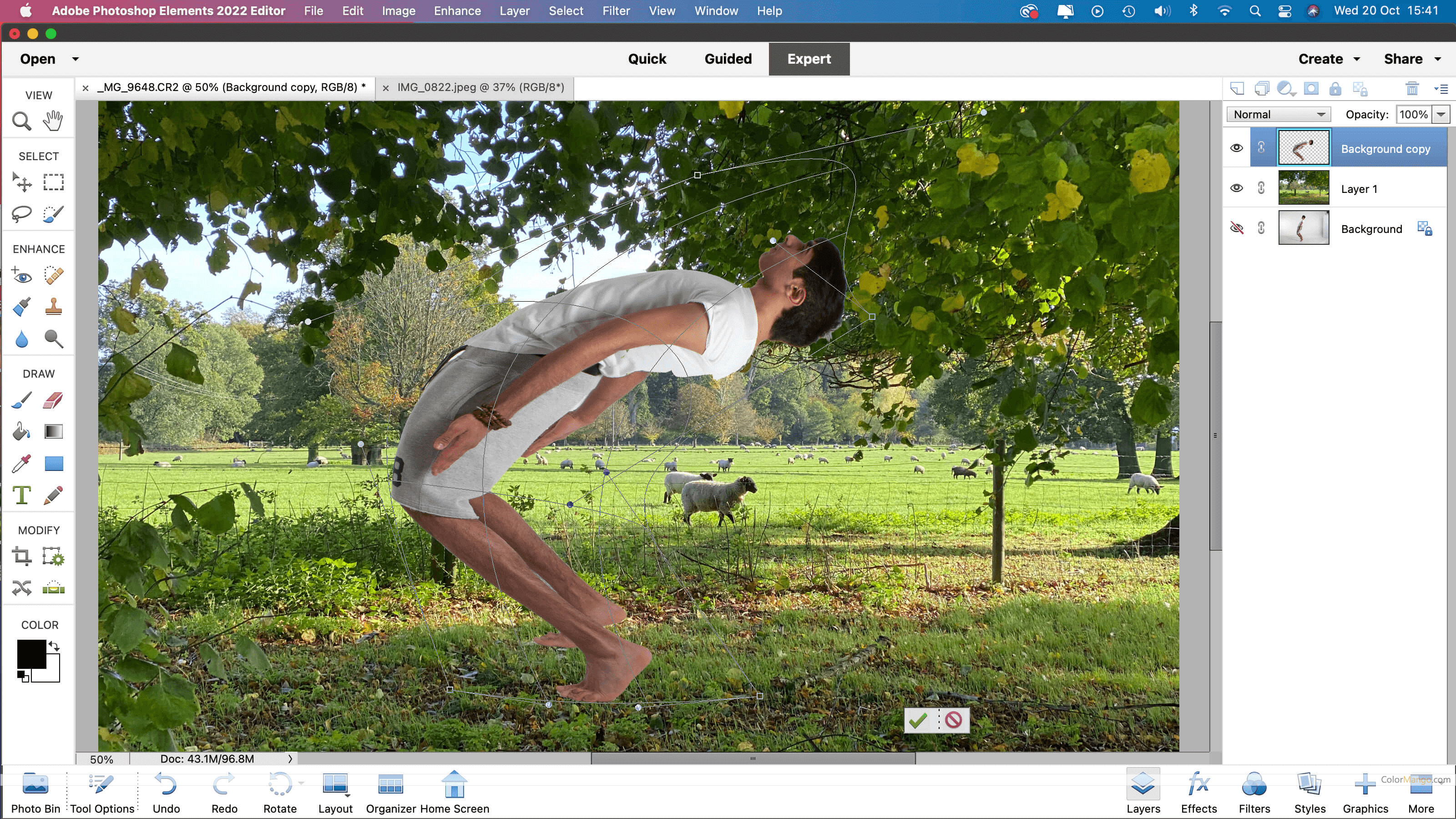
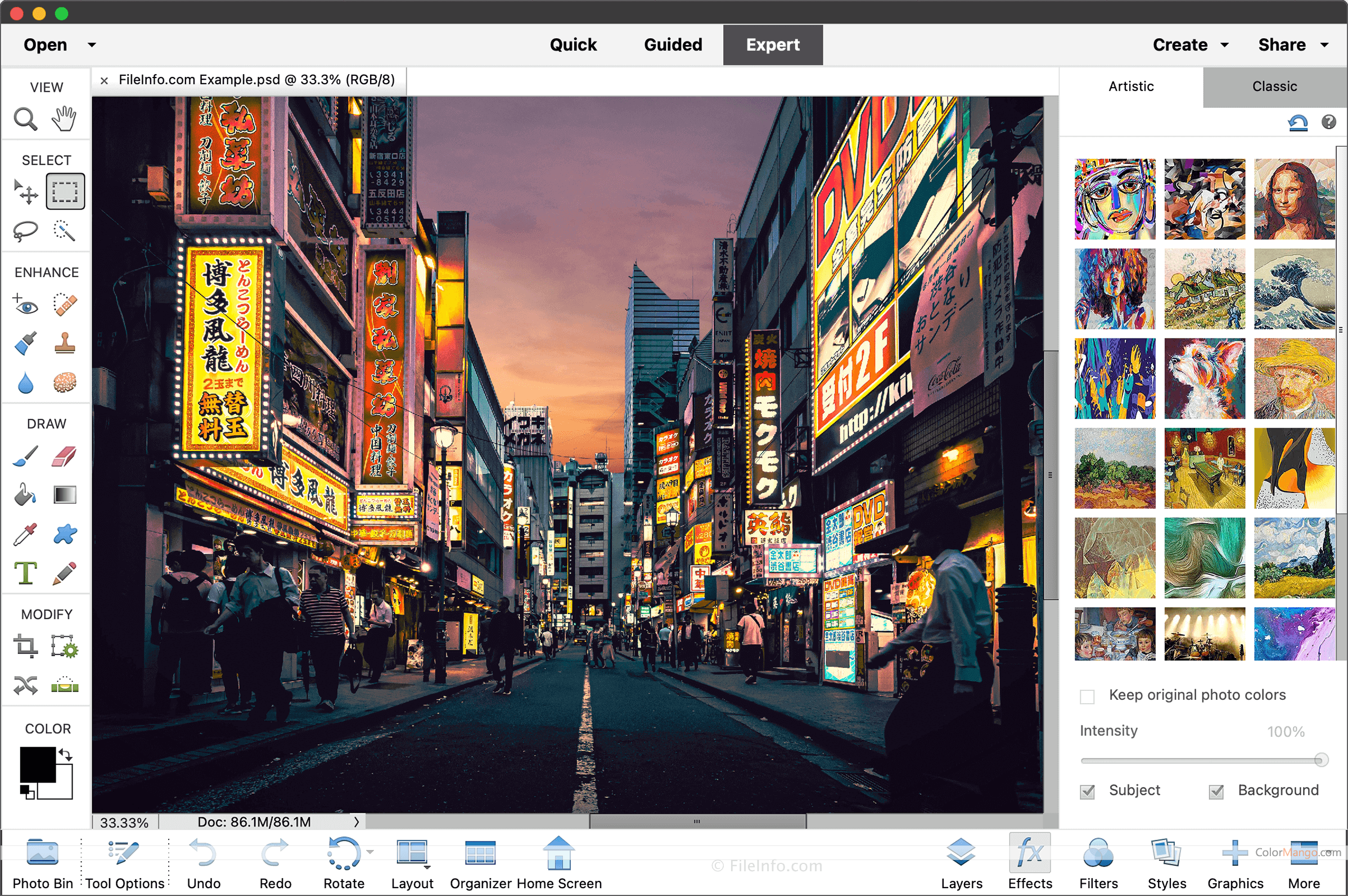
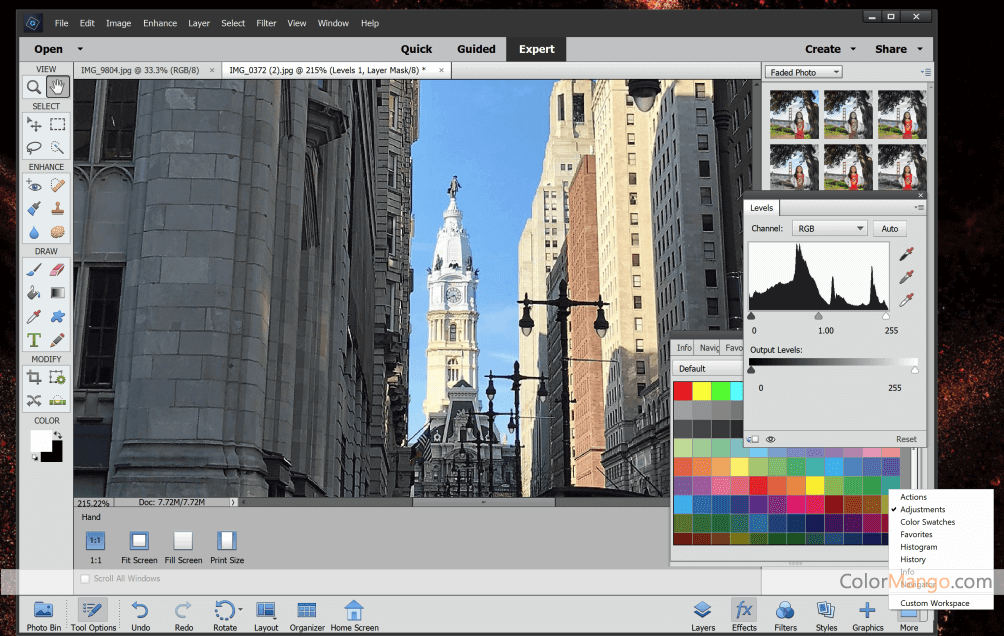
    Photoshop Elements provides three kinds of editing modes, Quick Mode, Guide Mode and Expert Mode. I personally recommend the Expert Mode, for if you've already bought this professional program, even it requires users to learn more knowledge. There are rich online free resources to learn, and my favorite photoshop book is by Scott Kelby.

    There is a little difference between the latest version and the previous version of the Photoshop Elements, but why I choose to upgrade? It's just because I need to keep update on my college courses I teach. BTW, I like the version 15 elements, in case one day Adobe change it to subscription only.

    Well, I'll now tell the little difference between version 14 and 15 here,
    1. There is a slight feature change in the facial feature, the version 15 now allows you change frowns into smiles.
    2. And also a few changes in the organizer feature, that will let you more easy to tag and your photos.
    3. In version 15, allows users tap and organize photos more easily on touch devices.
    4. Some filters have been simplified, and some helpful guide added.
    Before you decide to upgrade to the version 15, it's better to download the 30-day trial version to see if it's worth to upgrade.
    Reply

Customer Q&A

  • 🔔 Did Adobe Photoshop Elements have any discounts during Black Friday/Cyber Monday?
  • Adobe Photoshop Elements had Black Friday/Cyber Monday discounts in 2025, with savings up to 50%.
    Please note these historical deals are for reference only — promotions vary by season, so be sure to review the latest offer above.
  • 🔔 How to request a refund for Adobe Photoshop Elements?
  • Most software offers an unconditional refund guarantee within 7–30 days. You can check the official refund policy of the product, or contact ColorMango Support — we’ll assist you in completing the refund process smoothly.
Ask a New Question

More Coupons from Adobe (14)

Contact Us / Order Support

Score the best price from anywhere - since 2006
© 2006-2026 ColorMango.com, Inc.
All Rights Reserved.