
🍪 ColorMango uses your cookies to give you the best experience on our website. Learn more on our Privacy Policy
No guesswork. Verified codes
Best Sellers🎓Education Discount📩 Email‑exclusive offer
Opus Clip Discount Coupon Code

Opus Clip Coupons & Deals: Enjoy 50% Discount (Jan 2026 · 99% Working)

Limited Time Offer:
  • No guesswork. Verified codes.
  • 🎯
    Google coupons -
  • ✨  AI-Assisted Discount Analysis - [Completed]
  • EDU/NPO discount - [Not offered]
  • Trusted Stores - [Checked, none lower]
  • Bad/low codes -
  • 💰  10‑day best‑price guarantee: $10 if beaten (Guide)
  • Verified by John
TIME LEFT
Opus Clip Discount Coupon Code
🏷️ Please sign up first to get the discount
  • Discount
  • Latest official offers | OpusClip (1) >
    Claimed (30d)
  • Price
  • Save
  • Coupon Code
  • 30% Off
  • 🔥EXCLUSIVE Deal - Pro Monthly 30% off discount
    920+
  • 50% Off
  • OpusClip Pro - monthly price, billed yearly
    520+
  • $14.50 $29
  • $14.50
Past Offers (May have expired)
  • 📩 Email‑exclusive: Cyber Month Deal - Get 50% off your first month, or 65% off annual Pro plan - 65% Off
  • 📩 Email‑exclusive: OpusClip Pro Monthly 30% off discount code
  • 📩 Email‑exclusive: 30% off the first month of a Pro Plan - 30% Off
  • OpusClip Pro - 1 month - 30% Off
  • $20.30 $29
  • $8.70
* Prices vary by region due to different taxes. If the discount fails, contact us.
More Product Info
Visit website
Instant Delivery
Online Services
We verify and update codes regularly—so you don’t need to compare elsewhere.
Found an issue or a better deal❓
Tell us immediately and get a small reward ($5–$10). Your feedback helps us keep the best working deals.
Affiliate Disclosure
As a reader-supported site, we’re dedicated to bringing you the best discounts. To keep improving our service, we may earn a small commission from product sales — at no extra cost to you.
The deals listed above are our final verified results.
Below is a transparent look at how we researched, tested, and confirmed them across multiple sources.
### Official Offers & Pricing No active banners, popups, or explicit discounts found on the official Opus Clip website (www.opus.pro/pricing). Pricing appears standard with no auto-applied promotions like Cyber Month or first-month deals visible in current checks[6]. Plans include Starter and Pro (monthly or annual); use the site's credit calculator for estimates. No student, education, or limited-time offers detected on homepage, pricing, or promo paths. ### Verified Discounts & Promo Codes No **verified discount codes** confirmed active from official sources or whitelisted sites (trusted sources, trusted sources, trusted sources, trusted sources). Third-party sites mention potential offers, but lack recent validation signals (e.g., last activation post-Jan 2026) or official ties: - **65% off annual Pro**: Cited as "Cyber Month Promo" auto-applied, but unconfirmed on opus.pro/pricing and likely expired (seasonal, no current evidence)[1]. - **50% off annual Pro or first month**: Affiliate links or "Pro30" code mentioned, low credibility (unverified, Reddit-sourced, no success rate data)[1][3]. - **25% off for 12 months**: Freelance partner deal, requires specific link/code, not sitewide[5]. - **20% off**: Knoji claim, unverified codes only[2]. **Credibility: Low overall** – No verified tags, recent tests, or official promo pages; manual codes often blocked by site banners[1]. ### Invalid or Suspect Discounts - Claims of **30% "Pro30"**, **$100 off**, or **up to 65%** from aggregators/Reddit lack proof of recent success (e.g., last used "1wk ago" pre-2026, no activation timestamps matching today)[1][2][4]. - ColorMango/Grabon "50% off" tied to sign-up/upgrade, not single-purchase; user comments note expiration[3][7]. - All require checkout testing; stacking impossible if any banner active[1]. ### Analysis Logic Prioritized opus.pro/pricing (no discounts)[6]. Limited Google-style results to top natural hits, skipping ads/SEO spam. Whitelist sites absent or unverified. No codes meet criteria: recent validation, high success rate (>90%), or official link. Discounts mostly subscription/annual Pro-specific, not single-item. **No qualified offers** – as of Jan 7, 2026, shop at full price or test free tier. ### Coupon Codes List ### ????,?????

Official Offers & Pricing

???????????????(www.opus.pro/pricing)?????,??????Cyber Month???Starter?Pro??(?????);???????????????????????

Verified Discounts & Promo Codes

?**??????**????????????????????,???????: - **??Pro 65% off**:?“Cyber Month”,?????,????[1]? - **??Pro???50% off**:?????“Pro30”?,????[1][3]? - **12??25% off**:??????,???[5]? - **20% off**:???[2]? **???:?** – ??????????

Invalid or Suspect Discounts

- **30% "Pro30"**?**$100 off**?**65%**????????[1][2][4]? - ColorMango?“50%”???,??????[3][7]? ?????,????[1]?

Analysis Logic

???????(???)[6]????????????????????????,????**?????** – 2026?1?7?,???????????

🧑‍💼 Extra Support

If the vendor is unresponsive or you have order/technical issues, we will assist.

⚡Fast Delivery (Software/SAAS)

For software/SaaS, activation details are typically delivered within 5 minutes.

Since 2006 — Rated 4.9/5 on Trustpilot.
Rate This:
3.4
9 votes
5
55% (5)
4
0% (0)
3
0% (0)
2
22% (2)
1
22% (2)
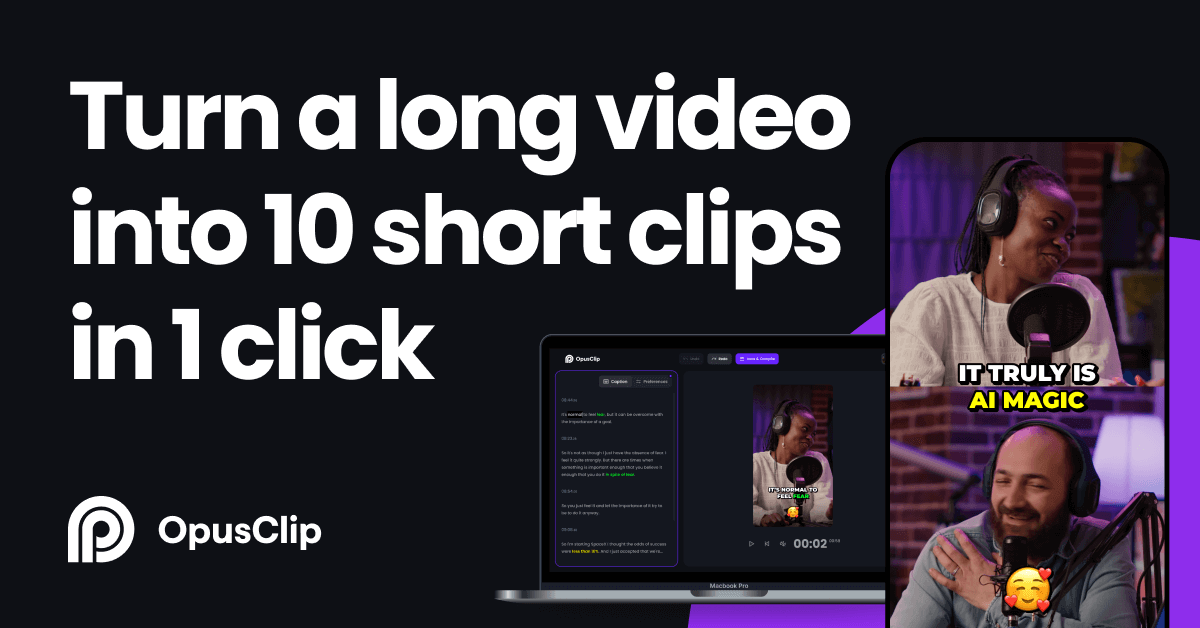
Opus Clip Screenshot

Quickly and easily create short, engaging video clips from longer videos

OpusClip is a video editing software that enables users to quickly and easily create short, engaging video clips from longer videos. It is designed to help content creators, social media managers, and marketers repurpose and optimize their video content for various platforms.

Key features of OpusClip:
AI-Powered Clipping:
  • Utilizes artificial intelligence to analyze videos and automatically identify the most interesting and shareable moments.
  • Saves time and effort in manually selecting and editing clips.
Multi-Platform Optimization:
  • Creates clips optimized for different social media platforms, such as TikTok, Instagram, YouTube Shorts, and Facebook.
  • Helps users adapt their video content to specific platform requirements.
Easy Editing:
  • Offers simple editing tools to trim, crop, and adjust clips.
  • Allows users to add text, stickers, and music to enhance their videos.
Batch Processing:
  • Supports batch processing, enabling users to quickly create multiple clips from a single video.
  • Saves time when working with large volumes of video content.
Cloud-Based Platform:
  • Operates as a cloud-based service, eliminating the need for users to download and install software.
  • Accessible from any device with an internet connection.
Collaboration and Sharing:
  • Allows users to collaborate on video projects with team members and share clips directly to social media platforms.
  • Facilitates teamwork and efficient content distribution.
Analytics and Insights:
  • Provides analytics and insights into the performance of video clips, including views, engagement, and click-through rates.
  • Helps users track the success of their video content.

OpusClip aims to simplify the video editing process, allowing users to create engaging and shareable video clips without the need for advanced editing skills. It is an ideal tool for content creators looking to maximize the reach and impact of their video content on social media and other platforms.

How to Use Opus Clip
Visit the Website
Open your browser and navigate to the Opus Clip official website (opus.pro). Then, register and log in to your account.
Upload Video
In the Opus Clip interface, click the upload button and select the long video file you want to edit.
AI Analysis
Once the video is uploaded, Opus Clip’s AI will analyze the video content and automatically identify potential highlight clips.
Select Clips
After reviewing the AI-recommended content, you can choose to keep, delete, or adjust the sequence and duration of the clips.
Edit and Adjust
Use Opus Clip’s video editing tools to make further edits and adjustments to the selected clips, such as trimming and merging.
Preview
Before finalizing the video, preview the edited video to ensure that it meets your requirements.
Generate Video
Once satisfied, use Opus Clip’s one-click generate feature to compile the selected clips into a new short video.

Opus Clip Use Scenarios
Social Media Content Creation
Quickly extract highlights from long videos to create short clips suitable for platforms like Instagram and TikTok.
Event and Activity Highlights
Extract the best moments from conferences, concerts, sports events, and more to create highlight reels.
Personal Video Logs (Vlogs)
Vloggers can quickly filter out interesting moments from daily recordings to create video logs.
Marketing and Advertising
Businesses or brands can extract captivating clips from product promotions or ad shoots for marketing purposes.
Education and Training
Educators can extract key points from lectures or training videos to create teaching summaries or review materials.

Customer Reviews

Comments (6)
+ Add your review
  • Agree with Philip. Starting with a fresh browser and new email address, going all the way to the STRIP payment page, the discount remains $50 just as it is for everyone.
    Reply
  • Hi PDL,
    The deal starts again.
  • Amazing follow-up. A credit to your organization and team.
    Understood that the promotion must now have past.
    I may sign up or wait for another sale as this tool's price has increased significantly in the past year.
    With gratitude,
    Patrick
  • Hi PDL,
    Thanks for your feedback, it's a limited time deal, and it's end now, if you make an order, we can give you exclusive $10 off.
    Best regards
  • The code is not for the correct discount amount
    Reply
  • Hi,

    Thanks for your feedback.

    To get the discount, please sign up first, and then upgrade your plan to get the discount.

    Best regards,
    ColorMango Support

Customer Q&A

  • 🔔 Why isn’t my Opus Clip promo code working?
  • 🔔 Are the Opus Clip promo codes on ColorMango legitimate?
  • All Opus Clip promo codes are obtained through official sources — including direct brand partnerships, verified newsletters, and manual verification by our editors.
    Every discount is carefully reviewed and tested by the ColorMango team to ensure authenticity and safety.
    💡 You can use these promo codes with full confidence to enjoy official discounts.
  • 🔔 How often are Opus Clip promo codes updated?
  • Over the past year, Opus Clip promo codes have been updated 4 times.
    The codes displayed on this page are the latest, verified, and highest discounts (user-reported invalid: 3 times), so you can use them with confidence. We continuously monitor official and partner channels and update the codes immediately when new promotions are found.
  • 🔔 Did Opus Clip have any discounts during Black Friday/Cyber Monday?
  • Opus Clip had Black Friday/Cyber Monday discounts in 2025, with savings up to 65%.
    Please note these historical deals are for reference only — promotions vary by season, so be sure to review the latest offer above.
  • 🔔 How does the refund process work for Opus Clip?
  • Subscription products typically do not support refunds — only cancellation of the current subscription is allowed.
    We recommend starting with a monthly subscription to confirm satisfaction before upgrading to an annual plan.
    If you encounter any issues, contact ColorMango Support for assistance.
Ask a New Question
Contact Us / Order Support

Score the best price from anywhere - since 2006
© 2006-2026 ColorMango.com, Inc.
All Rights Reserved.