47-in-one Cloud-based PDF processing and conversion tool
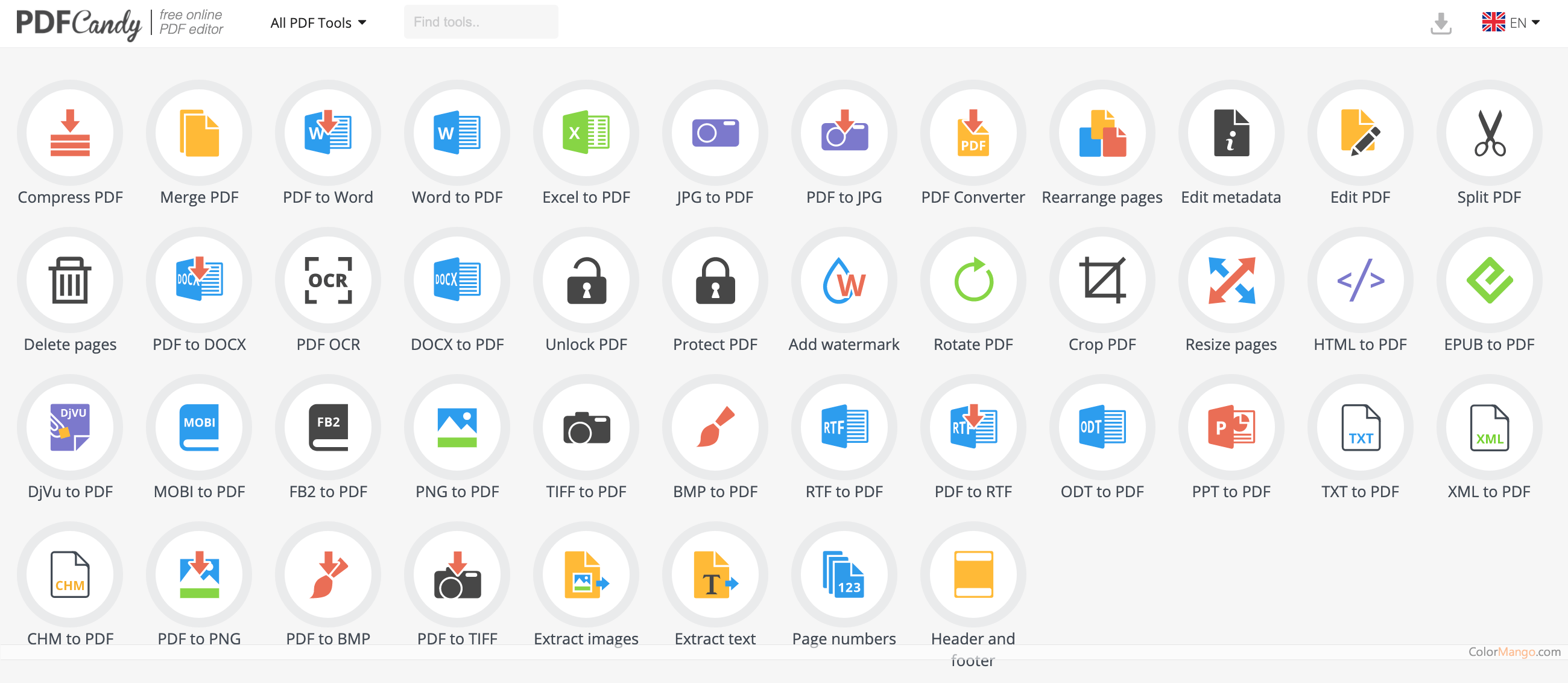
PDF Candy is a cloud-based PDF processing and conversion tool that offers a variety of features to help users manage and edit their PDF files. It is accessible from any device with an internet connection and does not require any software installation.
The key features of PDF Candy:
- PDF conversion: PDF Candy can convert PDF files to a variety of other formats, including Word, Excel, PowerPoint, JPG, PNG, and more.
- PDF editing: PDF Candy allows users to edit their PDF files by adding text, images, and shapes, as well as by deleting, rotating, and cropping pages.
- PDF merging: PDF Candy can merge multiple PDF files into a single PDF file.
- PDF splitting: PDF Candy can split a single PDF file into multiple PDF files.
- PDF compression: PDF Candy can compress PDF files to reduce their size.
- PDF protection: PDF Candy can protect PDF files with a password and set permissions for viewing, printing, and editing.
- PDF unlocking: PDF Candy can remove passwords from PDF files.
- PDF annotation: PDF Candy allows users to add annotations to their PDF files, such as highlights, notes, and comments.
- PDF form filling: PDF Candy allows users to fill out PDF forms and save them.
- PDF signing: PDF Candy allows users to sign PDF documents electronically.
PDF Candy is a versatile and easy-to-use tool that can help users manage and edit their PDF files efficiently. It is a great resource for both individuals and businesses who need to work with PDF documents.